useComputedStyle
useComputedStyle reads resolved CSS property values from a main-thread element and returns them to the background (React) thread. It is useful when a native element prop needs a plain value but the source of that value is a CSS custom property.
Requirements
- Lynx SDK 3.5 or newer is required for
element.getComputedStyleProperty(), and@lynx-js/react0.115.4 or newer is required for the reader itself. Set the app bundle's engine version to at least3.5. Below either version the hook resolves nothing instead of failing — see Unresolved values. - Dynamic custom properties supplied through an inline
styleobject requireenableCSSInlineVariables: true. - Put the standard CSS property and
main-thread:refon the same element. This does not depend on CSS inheritance.
For example:
CSS custom property to SVG current-color
An SVG component prop cannot resolve var(--theme-color) itself. The complete bridge is:
- ReactLynx changes
--theme-colorin the ref element's inline style. - The same element has
color: var(--theme-color)in CSS. useComputedStylerunselement.getComputedStyleProperty("color")on the main thread after the element update is committed.- The resolved string is returned to the background thread and passed to the SVG's
current-colorprop. - The unchanged SVG content resolves its own
fill="currentColor"against that prop.
The tested Android SVG component only re-renders current-color updates through its Serval renderer, so the verified example sets enable-serval-svg={true}. This does not alter the SVG content string; its visible fill still comes from fill="currentColor".
API
keys contains CSS property names in kebab-case, and the key literals flow into the result type:
Pass every value that can invalidate the result in deps; after one changes, the hook schedules a new main-thread read for a frame after the ReactLynx patch. Changing keys re-reads as well. A re-read that produces the same entries preserves the existing object and does not trigger another render.
Unresolved values
styles[key] is string | undefined. It is undefined — never "" — whenever the value is not known:
- the first read has not completed yet;
@lynx-js/reactis older than 0.115.4, sogetComputedStyleProperty()does not exist;- the Lynx SDK is older than 3.5, so
getComputedStyleProperty()throws; - the engine has no getter for the property and returns an empty string.
None of these throw on the main thread. The hook warns and leaves the key out.
This distinction matters because element props tell absent apart from empty. On newer Lynx SDKs an <svg> with no current-color prop falls back to its CSS color, while an explicitly empty current-color suppresses that fallback. Handing a consumer "" would turn a working native fallback into an uncolored icon; handing it undefined leaves the native path in charge.
Forward compatibility
The hook is designed so that platform progress improves it without an API change.
- Fail open. An unknown value is absent, never empty, so a native fallback is never suppressed. Once an element resolves the CSS property natively, the same source keeps working and this hook degrades into an optimization instead of a requirement.
- Keys pass through verbatim. Property names reach the engine unchanged. CSS custom properties are not readable yet, but when the engine supports them,
useComputedStyle(["--theme-color"])starts working with no change here. depsis a hint, not a contract. Manual invalidation exists only because the runtime cannot observe style changes today. A runtime that can observe them may re-read more often, and code that passesdepsstays correct either way.
Known engine limitations
- CSS custom properties (
--*) cannot be read throughgetComputedStyleProperty(). Read the standard property that consumes them —color: var(--theme-color)— instead. Tracked in lynx-family/lynx#8682. - Some registered properties return an empty string because the engine exposes no getter for them, including
display,position,overflow,visibility,box-sizing,white-space,flex-direction,background-repeatandmask-repeat. Tracked in lynx-family/lynx#8692.
Real-device verification
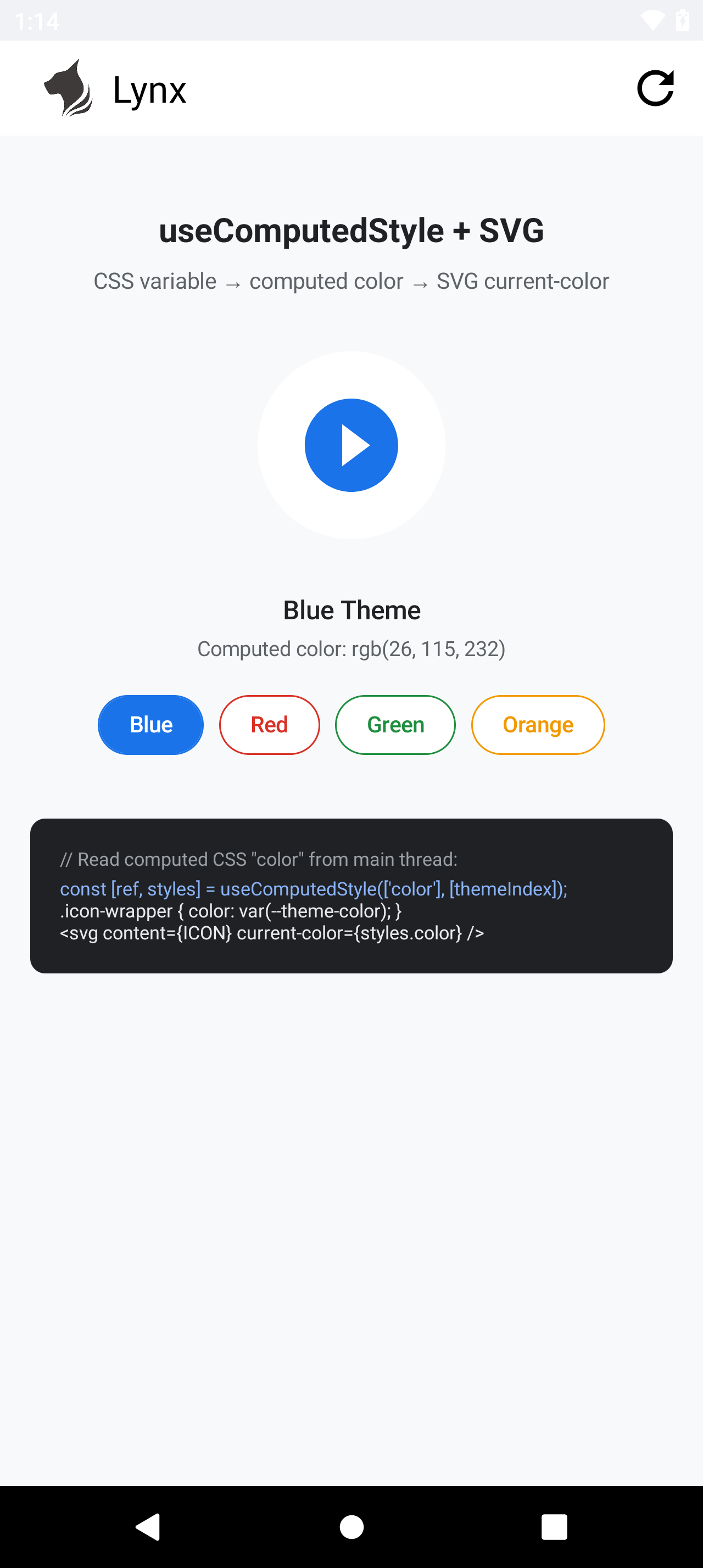
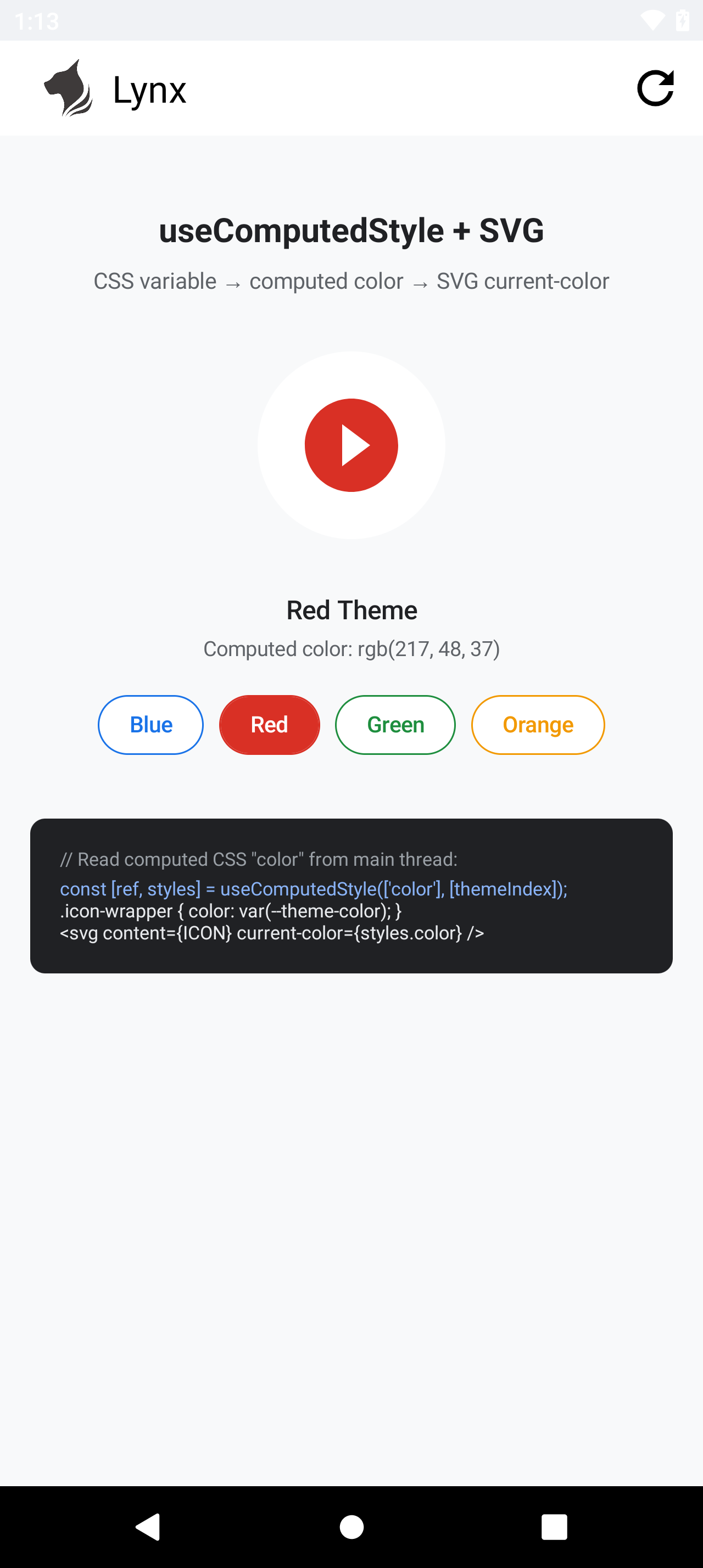
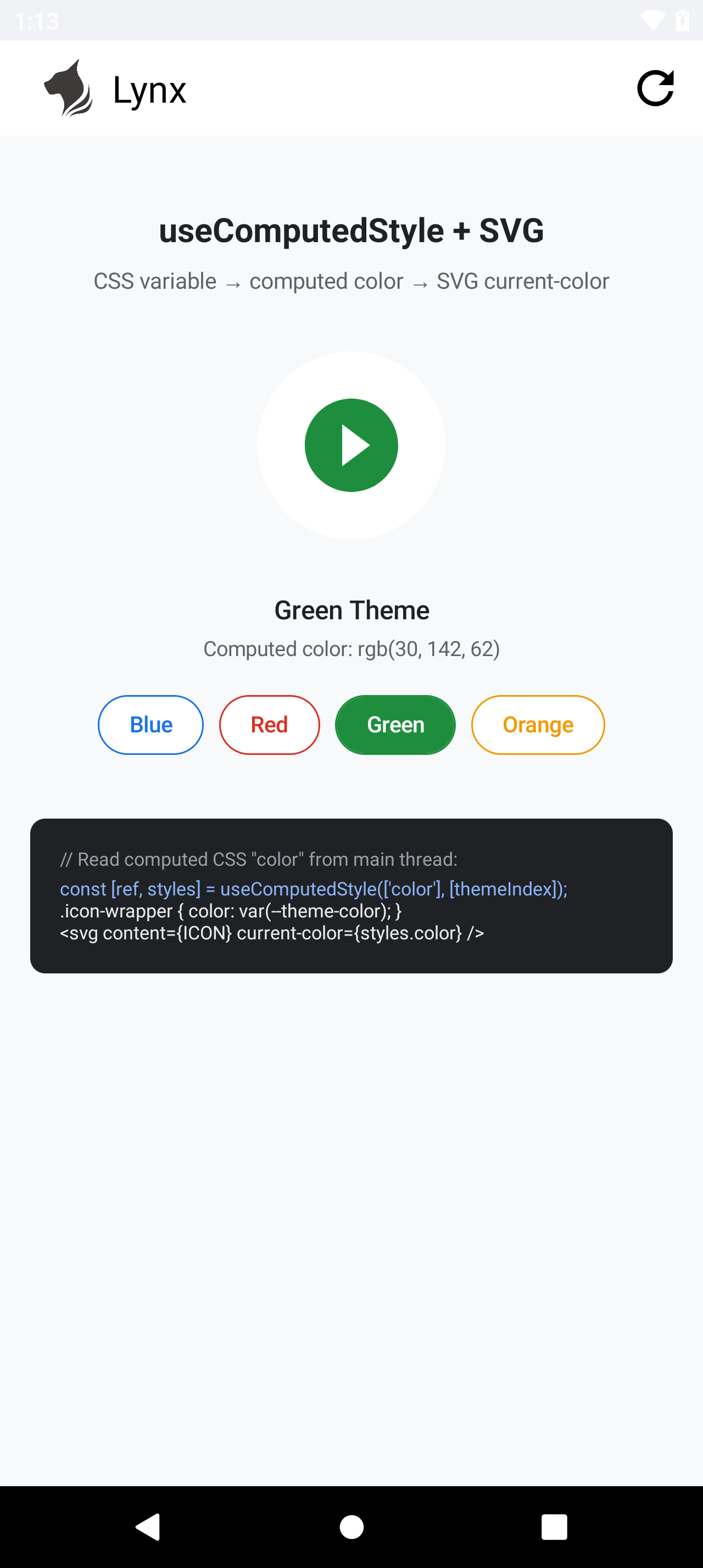
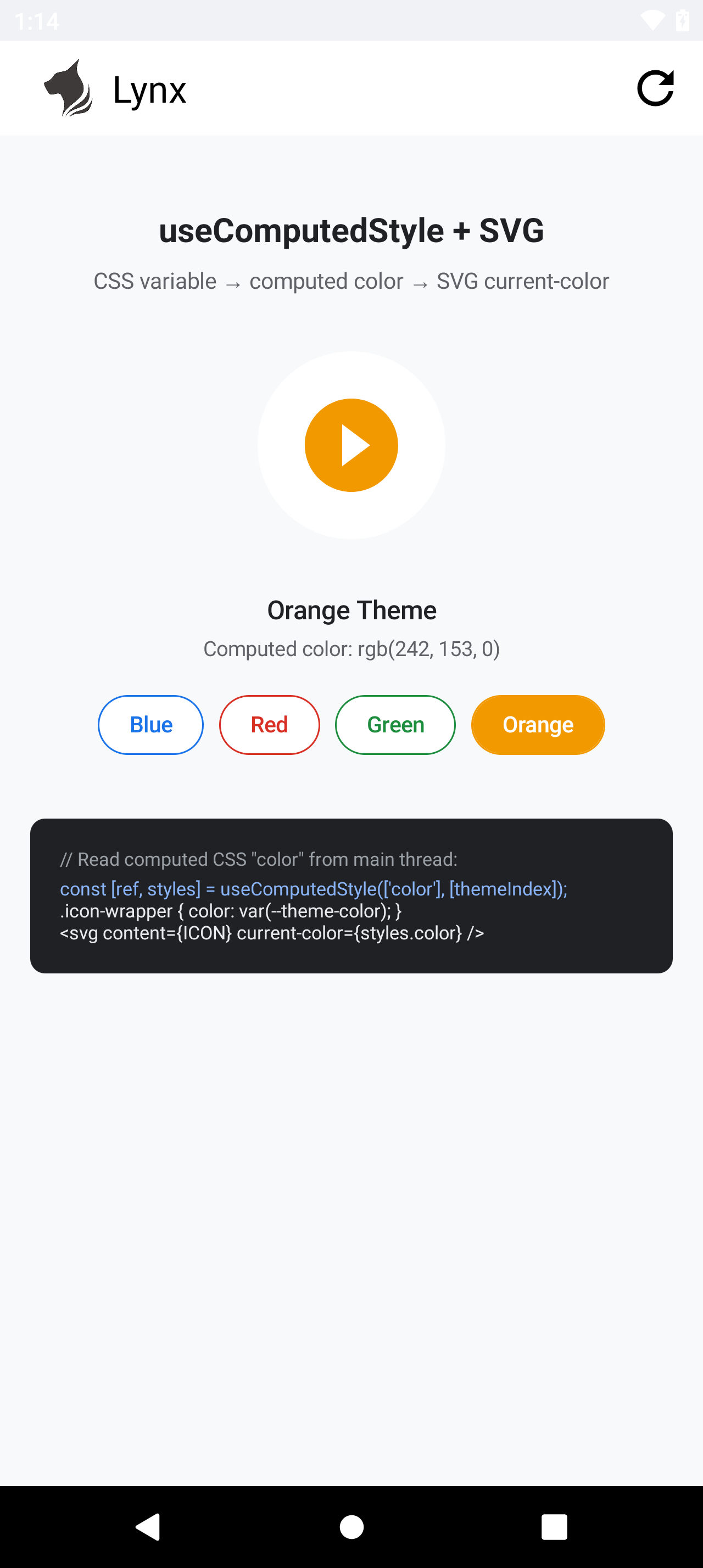
These screenshots were captured on a real Android device with Lynx SDK 4.1 and an app bundle targeting engine version 3.5. In every screenshot, the displayed value came from getComputedStyleProperty("color"), and the play-circle fill came from passing that exact value to SVG current-color. No parent inheritance, inline color, background-color proxy, or SVG string replacement is used.
Blue — rgb(26, 115, 232) | Red — rgb(217, 48, 37) |
|---|---|
 |  |
Green — rgb(30, 142, 62) | Orange — rgb(242, 153, 0) |
|---|---|
 |  |