useComputedStyle

useComputedStyle 从主线程元素读取已解析的 CSS 属性值,并将结果返回后台(React)线程。它适用于原生元素属性只接受普通值、而这个值来自 CSS 自定义属性的场景。

使用要求

  • element.getComputedStyleProperty() 要求 Lynx SDK 3.5 或更高版本,读取器本身要求 @lynx-js/react 0.115.4 或更高版本;应用 Bundle 的引擎版本至少应设为 3.5。低于任一版本时,Hook 只是解析不出值,而不会报错 —— 见无法解析的值
  • 通过内联 style 对象动态设置 CSS 自定义属性时,需要开启 enableCSSInlineVariables: true
  • 标准 CSS 属性和 main-thread:ref 必须位于同一个元素上,不依赖 CSS 继承。

例如:

lynx.config.ts
import { pluginLynxConfig } from "@lynx-js/config-rsbuild-plugin";
import { pluginReactLynx } from "@lynx-js/react-rsbuild-plugin";
import { defineConfig } from "@lynx-js/rspeedy";

export default defineConfig({
  plugins: [
    pluginReactLynx({ engineVersion: "3.5" }),
    pluginLynxConfig({ enableCSSInlineVariables: true }),
  ],
});

从 CSS 自定义属性到 SVG current-color

SVG 组件属性本身不能解析 var(--theme-color)。完整的桥接过程如下:

  1. ReactLynx 在 ref 元素的内联样式中修改 --theme-color
  2. 同一元素通过 CSS 设置 color: var(--theme-color)
  3. 元素更新提交后,useComputedStyle 在主线程执行 element.getComputedStyleProperty("color")
  4. 已解析的字符串返回后台线程,并传给 SVG 的 current-color 属性。
  5. 未修改的 SVG 内容通过自己的 fill="currentColor" 使用该值。
src/App.tsx
import { useState } from "@lynx-js/react";
import { useComputedStyle } from "@lynx-js/react-use";
import "./App.css";

const ICON = `<svg xmlns="http://www.w3.org/2000/svg" viewBox="0 0 24 24"><path d="M12 2C6.48 2 2 6.48 2 12s4.48 10 10 10 10-4.48 10-10S17.52 2 12 2zm-2 14.5v-9l6 4.5-6 4.5z" fill="currentColor"/></svg>`;

const THEMES = [
  { name: "Blue", color: "#1a73e8" },
  { name: "Red", color: "#d93025" },
  { name: "Green", color: "#1e8e3e" },
  { name: "Orange", color: "#f29900" },
];

export function App() {
  const [themeIndex, setThemeIndex] = useState(0);
  const theme = THEMES[themeIndex];
  const [ref, styles] = useComputedStyle(["color"], [themeIndex]);

  return (
    <view>
      <view
        main-thread:ref={ref}
        className="icon-wrapper"
        style={{ "--theme-color": theme.color } as Record<string, string>}
      >
        <svg
          className="icon"
          content={ICON}
          current-color={styles.color}
          enable-serval-svg={true}
        />
      </view>

      <text>{`Computed color: ${styles.color ?? "(pending)"}`}</text>
      <view
        bindtap={() => setThemeIndex((themeIndex + 1) % THEMES.length)}
      >
        <text>切换主题:{theme.name}</text>
      </view>
    </view>
  );
}
src/App.css
.icon-wrapper {
  color: var(--theme-color);
  width: 120rpx;
  height: 120rpx;
}

.icon {
  width: 120rpx;
  height: 120rpx;
}

本次验证使用的 Android SVG 组件仅在 Serval 渲染路径中重新渲染 current-color 更新,因此示例设置了 enable-serval-svg={true}。这不会修改 SVG 内容字符串;可见填充仍然来自 fill="currentColor"

API

import type { MainThreadRef } from "@lynx-js/react";
import type { MainThread } from "@lynx-js/types";

type ComputedStyles<Key extends string = string> = Readonly<
  Partial<Record<Key, string>>
>;

type UseComputedStyleReturn<Key extends string = string> = [
  ref: MainThreadRef<MainThread.Element | null>,
  styles: ComputedStyles<Key>,
];

function useComputedStyle<Key extends string>(
  keys: readonly Key[],
  deps?: readonly unknown[],
): UseComputedStyleReturn<Key>;

keys 是 kebab-case 格式的 CSS 属性名,并且这些字面量会进入返回值类型:

const [ref, styles] = useComputedStyle(
  ["color", "background-color"],
  [themeIndex],
);
styles.color; // string | undefined
styles["background-color"]; // string | undefined
styles.opacity; // 类型错误:未请求该属性

将所有可能使结果失效的值传入 deps;依赖变化后,Hook 会在 ReactLynx 补丁提交后的下一帧重新执行主线程读取。修改 keys 同样会触发重新读取。如果重新读取到的键和值均未变化,Hook 会保留原对象,不触发额外渲染。

无法解析的值

styles[key] 的类型是 string | undefined。只要值未知,它就是 undefined绝不会是 ""

  • 首次读取尚未完成;
  • @lynx-js/react 低于 0.115.4,getComputedStyleProperty() 不存在;
  • Lynx SDK 低于 3.5,getComputedStyleProperty() 会抛错;
  • 引擎没有该属性的 getter,返回空字符串。

以上任何一种情况都不会在主线程抛出异常。Hook 会打印警告,并把这个键留空。

这个区分很重要,因为元素属性会区分「未声明」和「空值」。在较新的 Lynx SDK 上,未声明 current-color<svg> 会回退到自身的 CSS color,而显式传入的空 current-color 则会抑制这个回退。给使用方 "" 会把一个本来可用的原生回退变成没有颜色的图标;给 undefined 则把主导权留给原生路径。

// 解析完成前 `styles.color` 是 undefined,因此 `current-color` 处于未声明状态,
// 这期间由平台自身的 CSS color 回退接管。
<svg content={icon} current-color={styles.color} />

向前兼容

这个 Hook 的设计目标是:平台能力推进时,它自动变好,而不需要改 API。

  1. Fail open(失败时放行)。未知的值是「缺失」而不是「空」,因此永远不会抑制原生回退。一旦元素能够原生解析该 CSS 属性,同一份源码继续可用,这个 Hook 从必需品退化为一个优化。
  2. 属性名原样透传。属性名不加修改地交给引擎。CSS 自定义属性目前还读不到,但当引擎支持后,useComputedStyle(["--theme-color"]) 无需改动此处即可生效。
  3. deps 是提示而非契约。之所以需要手动失效,只是因为当前运行时无法观察样式变化。将来能够观察时,运行时可以更频繁地重新读取,而传了 deps 的代码在两种情况下都是正确的。

引擎侧已知限制

  • CSS 自定义属性(--*)无法通过 getComputedStyleProperty() 读取。请改为读取消费它的标准属性,例如 color: var(--theme-color)。跟踪于 lynx-family/lynx#8682
  • 部分已注册的属性因为引擎没有对应 getter 而返回空字符串,包括 displaypositionoverflowvisibilitybox-sizingwhite-spaceflex-directionbackground-repeatmask-repeat。跟踪于 lynx-family/lynx#8692

真机验证

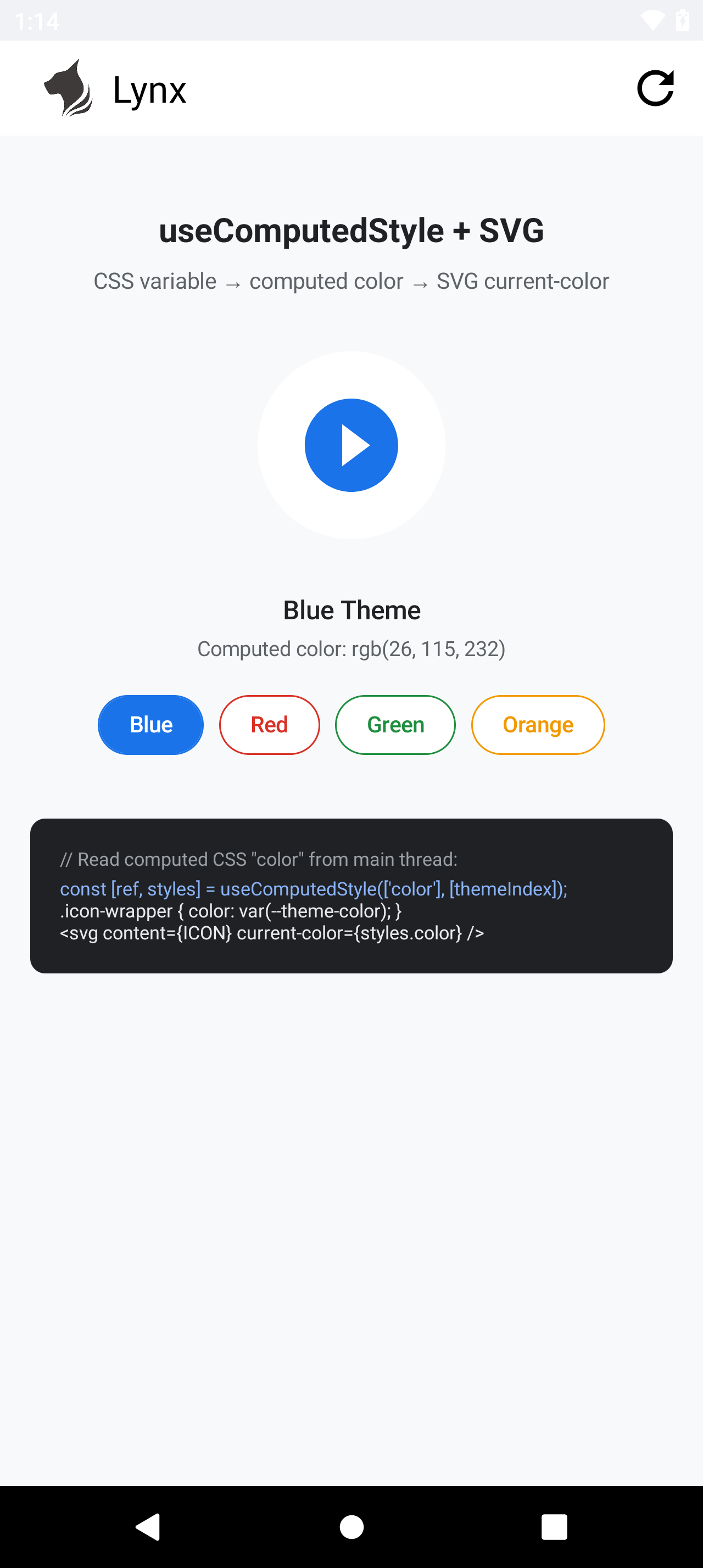
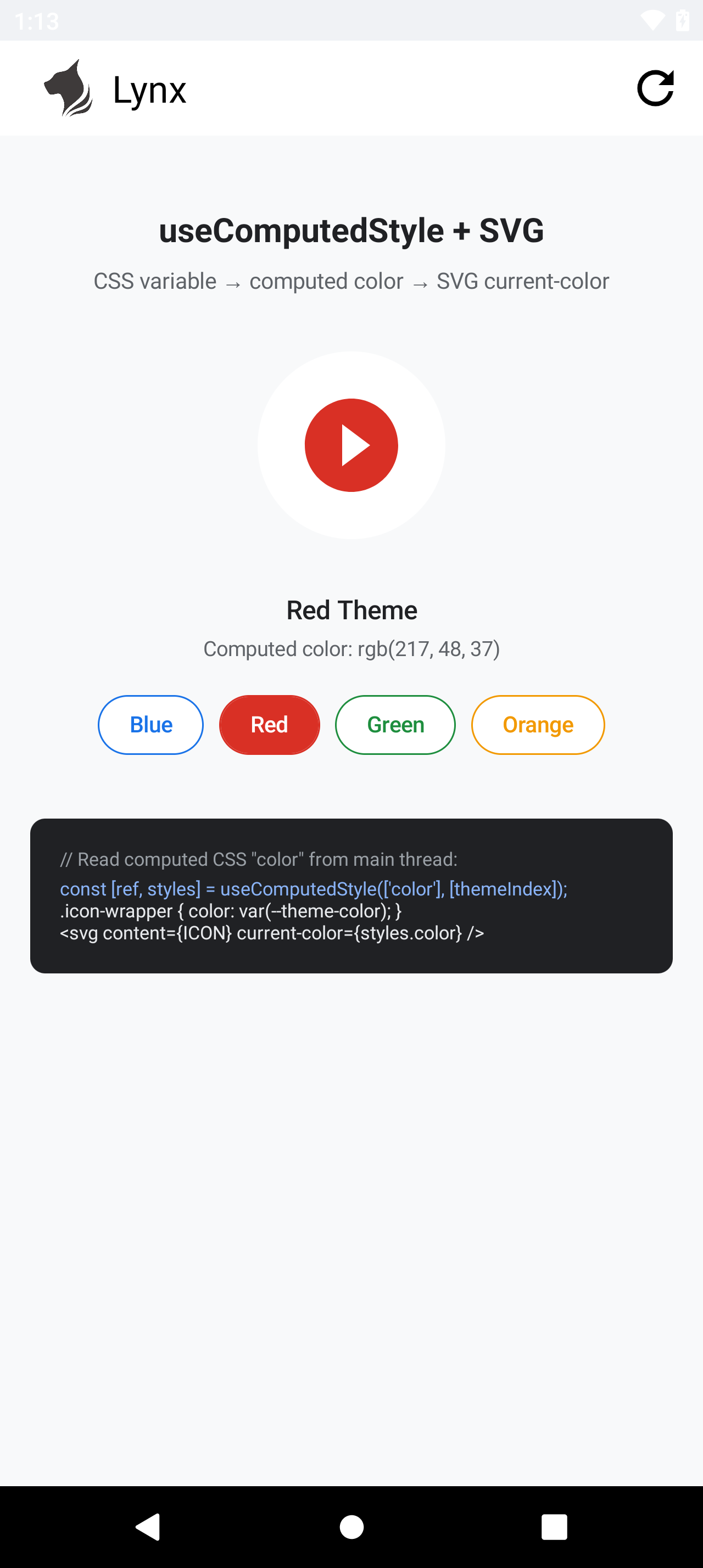
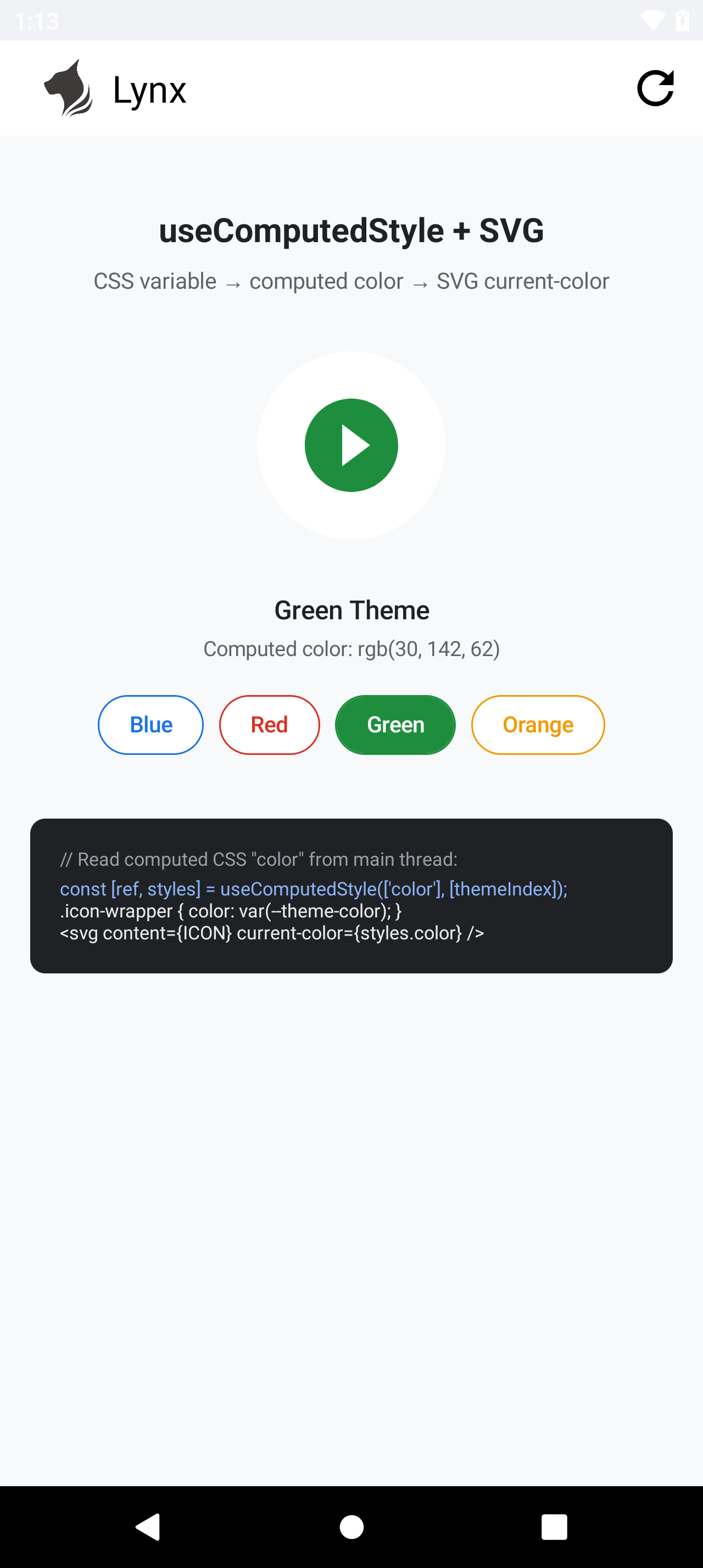
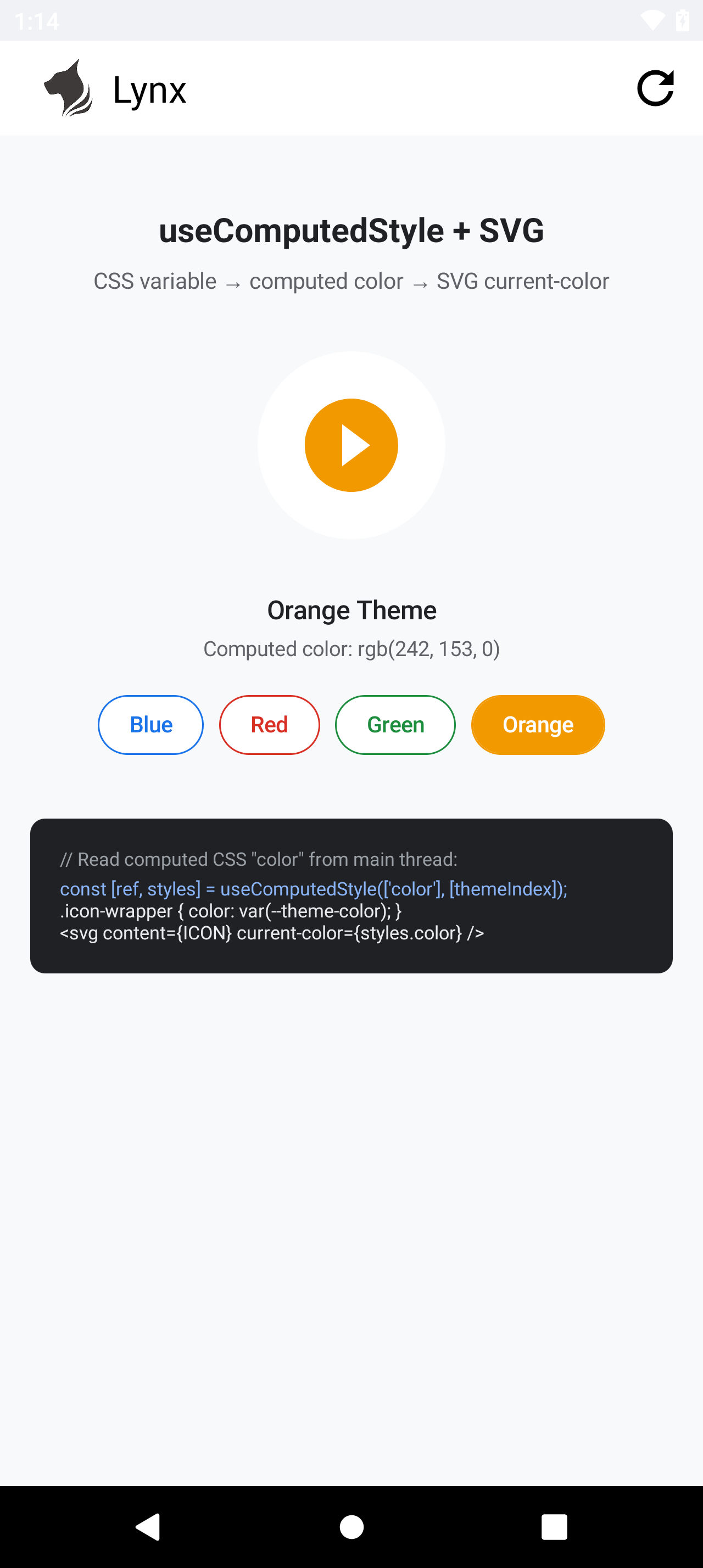
以下截图来自真实 Android 设备,设备使用 Lynx SDK 4.1,应用 Bundle 的目标引擎版本为 3.5。每张图显示的值均来自 getComputedStyleProperty("color"),播放按钮圆形的填充色则来自传给 SVG current-color 的同一个值。整个过程没有使用父元素继承、内联 color、背景色替代证明或 SVG 字符串替换。

蓝色 — rgb(26, 115, 232)红色 — rgb(217, 48, 37)
蓝色 SVG 填充和计算颜色红色 SVG 填充和计算颜色
绿色 — rgb(30, 142, 62)橙色 — rgb(242, 153, 0)
绿色 SVG 填充和计算颜色橙色 SVG 填充和计算颜色